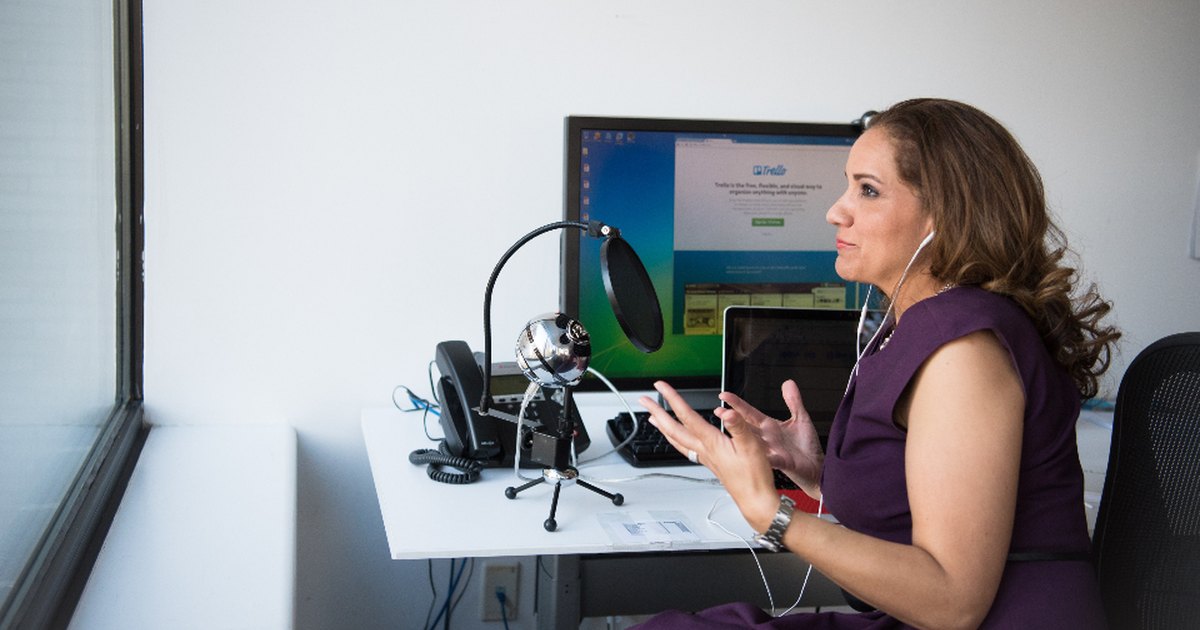

To record a podcast remotely, use a platform that captures audio and video locally on each person’s own computer and uploads those files afterwards, instead of recording the compressed video call. Send every guest a setup checklist, keep each person on the recording page until their upload confirms, and run a second backup recording.
Local recording, also called a double-ender, is a recording method that captures each participant’s microphone and camera at full quality on their own machine while the call runs separately for conversation. The network never sits in the recording path, so a guest on a mediocre connection can still hand back a clean 48kHz WAV.

Local recording vs recording a video call
Recording a video call captures whatever survived the network; local recording captures each person at source. When two people talk over Zoom, Meet or Teams, the software continuously compresses audio and video to survive the connection. Bitrate drops when the connection tightens, frames are dropped, and the recording is a permanent record of the worst moments of the call. The ceiling is the connection, not the microphone.
In local recording, each participant’s browser records their own microphone and camera to their own machine at full quality. On Zencastr, each participant’s audio and video records locally at full quality and uploads to the cloud progressively during the session. Riverside uses the same design. The result is a separate high-quality track per person.
Cleanfeed, a browser-based remote recording service, is architecturally different. All recording happens at the host side, streaming Opus audio live. It is not a double-ender: the recording is made live, with nothing to sync up later. Its quality ceiling is tied to the connection, but there is no upload step to fail and nothing sitting in a guest’s browser waiting to be lost.
What if a guest closes the tab early?
The guest’s recording can be lost, because the high-quality file lives in their browser until it finishes uploading. Each participant should keep the recording page open until they each individually see a confirmation popup that their files have finished uploading. Not until the conversation ends. Not until the host says thank you. Until each person sees their own confirmation.
The causes of a lost track: a guest leaving the room or closing the tab before the confirmation appears, a slow connection that stretches the upload past the moment they leave, and a firewall or network that blocks the platform.
Recovery happens where the file is: the participant reopens the recording on the machine that made it and lets the pending upload finish. A guest who clicks away and then flies home is a guest whose track may not come back.
Podcast recording backup files
A failed remote recording falls back to the copy the platform kept in the cloud, and the two main platforms keep different things. Riverside’s rescues the audio podcast and rarely the video podcast.
| Platform | Backup you get back |
|---|---|
| Zencastr | Tracks upload progressively during the session, so a crash or a closed tab leaves what had already uploaded. Reopening the recording lets the rest finish from the participant’s machine |
| Riverside | Cloud recordings per participant plus a combined “All Participants” file, 720p maximum, possibly a variable frame rate |
| Descript Rooms | Lower-quality, Zoom-like per-participant backup recordings, existing as a failsafe if the primary recordings fail |
If video is the product, the fallback does not save the episode.
Best remote podcast recording platforms
The strongest remote podcast recording platforms are Riverside and Zencastr, which both record locally with per-person tracks, and Zencastr’s free tier carries unlimited separate-track recording and download. Riverside meters separate-track download hours on its paid tiers, and that hourly allowance is the number to check against your episode length.
| Platform | How it captures | Separate tracks | Notes |
|---|---|---|---|
| Riverside | Local, background upload during the session | Yes, metered on paid tiers | Paid tiers meter separate-track download hours: 15/mo on Pro, 20 on Grow, 25 on Webinar. Up to 4K and 48kHz on paid tiers, 44.1kHz on free. The free tier is a one-off 2 hours, watermarked, at 720p |
| Zencastr | Local, full quality, progressive upload | Yes, unlimited on the free tier | Only the free “Vibecastr” tier and Enterprise are sold; the free tier carries 6 participants and 4K. Chrome, Edge and Brave on desktop, plus an iOS app |
| Descript (Rooms) | Local capture up to 4K, tracks land in a Descript project ready to edit | Yes, plus lower-quality per-participant backups | Rooms supports up to 10 participants. Plans meter monthly media hours: 1 on the free plan, then 10, 30 and 40 |
| Cleanfeed | Host-side recording of live streams (audio only) | Yes on Pro and Cinema, up to 32 tracks | The free Lite tier takes 2 guests with no multitrack. No upload step to fail. Quality is tied to the live connection. The subsidised rate explicitly excludes business use |
| Zoom | Records the compressed call | Yes, local recording only; dial-in callers share one track | Enable “Record a separate audio file of each participant” and high-fidelity music mode. Basic caps meetings at 40 minutes. A safety net, not a primary capture path |
| StreamYard | Local recordings on each participant’s device | Yes, separate audio and video files per user | The free tier allows 2 hours a month; unlimited local recordings from Core, 4K on Advanced. Built for live and multistream rather than heavy post-production |
SquadCast, a remote recording service, was acquired by Descript, announced on 15 August 2023. Descript will fully integrate SquadCast’s technology and wind it down as a standalone service, with no date given. SquadCast is still reachable and still offering a free trial.
Podcast guest checklist before the session

Send a guest checklist covering browser, headphones, connection, disk space and the upload confirmation. You cannot control a guest’s room, laptop, headphones or internet, and what they know before they sit down is where nearly all recoverable quality lives.
Subject: Recording details for [date, with time zone]
A few practical things so the recording comes out well. Setup takes about five minutes.
Before the day
- Open the link in Chrome, Edge or Brave. Safari and Firefox are not supported by the recording platform. [Adjust to your platform’s stated requirements.]
- Wear headphones. Any headphones. Without them, your speakers feed the other voice back into your microphone and it cannot be removed in editing.
- Use a wired connection if one is available. If not, sit close to the router and ask anyone else in the building not to stream video during the session.
- Check you have at least 10GB of free disk space. Your file is saved on your machine first, and a full drive means no recording.
- Wired earbuds with an inline microphone beat a laptop microphone, which sits next to the fan and picks up the whole desk.
In the ten minutes before
- Fully quit Slack, email, calendar and messaging apps rather than muting them. Phone on silent, screen down, in another part of the room.
- Close every other browser tab and any video calls. Plug the laptop into power and turn off battery saver mode.
- Sit in a room with soft things in it. A rug, curtains, a sofa or a bookshelf will beat a glass meeting room every time.
- On video: put the light in front of your face, not behind you, and raise the camera to eye level.
The one thing that matters most, at the end
- When the recording finishes, stay on the recording page until you personally see the message saying your files have finished uploading. If you close the tab before that, your track can be lost, and it can only be recovered from the machine that recorded it.
A calendar hold with the link follows. If anything is unclear, reply and book a two-minute test the day before.
That two-minute test surfaces the wrong browser, the dead headphone jack and the corporate firewall while there is still time to fix them.
How to back up a remote podcast recording
Back up a remote podcast recording with a safety track alongside the platform. Three layers:
- The platform’s own cloud copy. Automatic. Zencastr uploads each track progressively as it records; Riverside’s copy is capped at 720p.
- A parallel recording by the host on a separate device or application. Independent of the platform, so it survives a platform outage.
- The guest’s phone, running a voice memo, face down on the desk in airplane mode, started before the intro. Needs no software. Ask for it when the guest would be hard to rebook.
Running a manual double-ender rather than a platform adds one job: a marker. Count to three and have all the participants clap together or say “hello”. It gives an editor a hard sync point that takes seconds to find.
Remote recording problems and how to prevent them

Echo, laptop microphones, wifi and notifications, and sync drift cause most ruined remote episodes. Headphones, a wired connection and quit apps prevent most of them.
Echo. A guest without headphones sends the other voice out of their speakers and back into their microphone. Software echo cancellation is built for a single talker in a room and misfires elsewhere, most obviously when two people share one room on separate microphones, where it will try to cancel the other person’s voice. Headphones remove the problem physically instead of processing it away. Cleanfeed sells “No Headphones” and “Full repair” modes as paid Pro features.
Laptop microphones. They sit inches from a fan, on a hard desk, pointing at the ceiling. Wired earbuds with an inline microphone beat them, because the capsule moves off the desk and closer to the mouth. For a regular host buying a microphone, the Shure MV7+ has both USB-C and XLR outputs, so it survives a later upgrade to a proper interface.
Wifi and notifications. Zencastr asks for a stable connection, ideally wired, 8GB of RAM and 10GB of free disk space. Ethernet removes an entire category of incident. A muted messaging app still steals CPU and still fires visual interruptions that break a guest’s train of thought mid-answer, so quit them rather than muting them.
Sync drift on long recordings. Two machines’ audio clocks do not run at exactly the same rate, so tracks that line up at minute one can be apart at minute sixty. A sample-rate mismatch, such as a microphone running at 44.1kHz while the software assumes 48kHz, produces a much larger and more obvious speed error. This is mostly a manual double-ender problem, since platforms that record locally and hold a reference track handle alignment for you. Double Ender by Jason Snell, a free drift-correction tool, patches or removes areas of silence to offset the drift rather than simply aligning the start.
When to record a podcast in person instead
In-person recording is worth the cost when one trip covers several guests, when a guest’s seniority rules out a video call, when the format depends on people reacting in the same room, or when the video needs a cinematic multi-camera ceiling a browser cannot reach.
A remote platform works the same way whether the guest is in the next building or on another continent. In-person recording adds a studio booking, travel and everybody’s time on top.
- Several guests in one trip. One flight amortised across four or five recordings in two days is a completely different proposition from one flight for one guest. If you are travelling, fill the calendar before you book.
- A guest whose seniority makes a video call a non-starter. Some people will give you 45 minutes in their own building and would never have accepted a link.
- A format that depends on people reacting to each other in the same room. Panels, arguments, anything with overlapping speech or physical demonstration.
- A video ceiling you cannot reach through a browser. Cinematic multi-camera work with controlled lighting is not a remote product.
“It feels more personal” is not a reason on its own, and for a show measured on pipeline rather than production values, the effort is better spent on more episodes.
Frequently asked questions
Can you record a podcast on Zoom?
What if a guest’s recording fails?
Do you need consent to record a podcast?
How do you fix audio drift between two files?
What improves remote podcast audio quality most?
What internet speed do podcast guests need?
Is SquadCast still available?
Sources (25)
- How Zencastr Records, Zencastr Support: each participant recorded locally at full quality, with progressive upload to the cloud during the session
- Confirm Your Tracks Finished Uploading, Zencastr Support: stay in the room until the upload confirmation appears; closing the tab early interrupts the upload
- Troubleshooting Common Recording Issues, Zencastr Support: reopening a recording to finish pending uploads after a crash or closed tab, extra upload time on slower connections, and firewalls or networks that block the platform
- System Requirements and Supported Browsers, Zencastr Support: Chrome, Edge and Brave on desktop, plus the iOS app; 8GB RAM; 10GB free disk space; a stable connection, ideally wired
- Zencastr Pricing: the free Vibecastr tier and Enterprise, with 6 participants, 4K and unlimited separate track recording on the free tier
- Riverside FAQ: local recording with background upload during the session, up to 4K video and uncompressed 48kHz WAV audio
- About cloud recording files, Riverside Help Center and Download the ‘All Participants’ Cloud Recording: per-participant plus combined cloud recordings, 720p maximum, possible variable frame rate, positioned as a backup reference
- Riverside Pricing: separate-track download hour limits of 15, 20 and 25, and 44.1 kHz on the free tier against 44.1 and 48 kHz on paid tiers
- Double-ender recording, Riverside: the clap marker after recording starts
- Descript Pricing: monthly media hours and the 10-participant Rooms limit
- Descript Rooms and Frequently Asked Questions About Descript Rooms, Descript Help: double-ended tracks up to 4K and the lower-quality per-participant backup recordings
- SquadCast joins Descript, Descript blog: Descript’s own statement that SquadCast will be wound down as a standalone service, with no date
- Descript buys SquadCast, Podnews and Bloomberg: the 15 August 2023 acquisition
- Cleanfeed FAQ: “all your recording happens at the host side,” the Opus codec, the explicit statement that Cleanfeed is not a double-ender, and the 32-track multitrack limit on Pro
- Cleanfeed Pricing: guest limits, multitrack and audio-repair availability, and the subsidised-rate eligibility rules that exclude business use
- StreamYard Pricing: local recording allowances, and StreamYard’s own description of local recordings as “separate audio and video files on each user’s device”
- Zoom Pricing: 40-minute limit on Basic
- Record separate audio tracks in Zoom, Chris Menard Training: the per-participant audio file setting, the local-recording-only constraint, the 80-track maximum and the single shared track for telephone participants
- Double Ender, The Incomparable: free drift-correction tool by Jason Snell that patches or removes areas of silence rather than aligning only the start
- Shure MV7+ at Sweetwater and Best Buy: USB-C and XLR outputs on the same microphone
- Reporter’s Recording Guide, Reporters Committee for Freedom of the Press: jurisdiction-by-jurisdiction guide to recording consent